

WhatsApp for Sales Teams in Saudi Arabia: 7-Step Setup

Why do Saudi sales teams sell on WhatsApp?
Because that’s where clients already are. The Communications, Space and Technology Commission’s Saudi Internet 2025 report found WhatsApp to be the most used app in the Kingdom, used by 94.4% of men and 90.4% of women, according to a summary published by Minute Mirror on 28 August 2026. The CST’s 2024 report also listed WhatsApp first among the top social apps (Bridge Middle East, 23 May 2025).
So most Saudi sales conversations end up on WhatsApp sooner or later: the thank-you after a meeting, the price list, the “can we move it to Tuesday?”, the photo of the signed quote. The question for a sales manager isn’t whether the team uses WhatsApp. It’s whether the team uses it in a way the company can see, manage and keep.
This guide covers that: which version of WhatsApp a sales team needs, what it costs in 2026, how to set it up in seven steps, and what happens to the chats when a rep leaves. If you’re deciding between WhatsApp and email for a follow-up, we cover that in how to follow up after a sales meeting in Saudi Arabia.
Short answer
WhatsApp for sales teams in Saudi Arabia works best on company-owned numbers, not personal ones. Small teams can start with the free WhatsApp Business app (one number on up to five devices). Larger teams need the WhatsApp Business Platform through a provider, priced per message since July 2025. Log every lead in your CRM, and collect marketing consent under the PDPL.
WhatsApp Business app or Business Platform: which does your team need?
WhatsApp offers two business products. They look similar to a client, but they work very differently for a team.
| WhatsApp Business app | WhatsApp Business Platform (API) | |
|---|---|---|
| Price | Free to download, with some paid features (App Store) | Charged per message (Meta, since 1 July 2025), plus your provider’s fees |
| Devices / users | 5 devices in total on one account, or 10 with paid Meta Verified (App Store FAQ; WhatsApp Business) | A shared inbox for the whole team; seats depend on the provider’s plan (SleekFlow, vendor) |
| Set up | Install on a phone with a business number | Through a Meta Business Partner or provider |
| Tools | Business profile, greeting and away messages, quick replies, labels, catalog, broadcasts | Templates, automation, routing, CRM integrations (depends on the provider) |
| Best for | Founders and teams of up to ~4 people sharing one number | Teams of 5+ reps, high volume, or anyone who needs reporting |
Sources: Apple App Store listing for WhatsApp Business (Saudi store), WhatsApp Business features page (2026), Meta for Developers pricing page; checked 23 November 2026.
Our recommendation: if one or two people answer the company number, the free app is enough. Once several reps need their own conversations, reporting, or a link to your CRM, move to the Business Platform. Don’t try to stretch one phone across a whole team.
What does WhatsApp cost a sales team in 2026?
The Business app costs nothing to download and use, with some paid extras such as Meta Verified. The Business Platform is different. According to Meta’s pricing page (checked 23 November 2026):
- Per-message pricing since 1 July 2025. Meta charges for each template message delivered (marketing, utility and authentication). Messages your clients send you are not charged.
- The 24-hour customer service window. When a client messages you, a 24-hour window opens. Inside it you can reply freely in normal (non-template) messages. Outside it, you can only start a conversation with an approved template.
- Changes from 1 October 2026. Service messages (your replies inside the window) were free from November 2024 until 1 October 2026. Meta now charges for them again, with a free tier of 1,000 service messages per business number per month. Utility templates sent inside an open window are also charged again.
- Free entry points. If a client starts the chat from a click-to-WhatsApp ad, a free entry point window of up to 7 days opens, in which your messages are not charged.
- Saudi Arabia has its own rates. Saudi Arabia is a separate market on Meta’s rate card, and list rates have been available in SAR since 1 April 2026. Check the current figures on Meta’s rate card or with your provider; we don’t quote them here because they change.
On top of Meta’s charges, your provider bills for its platform (seats, automation, CRM connectors). Ask for both lines in any quote.
How to set up WhatsApp for a sales team: 7 steps
These steps are our recommendations, based on how Saudi sales teams we speak to work.
1. Use company-owned numbers
Give the team a company number (or one number per rep) that belongs to the company, not to the rep’s personal WhatsApp. WhatsApp allows a business account and a personal account on the same phone as long as they use two different numbers (App Store FAQ). That keeps family chats and client chats apart, and keeps client chats with the company.
2. Complete the business profile
Add the company name, logo, description, address, website and working hours in the WhatsApp Business Profile. A complete profile tells a new contact they’re talking to a real company, not an unknown number.
3. Set greeting and away messages for the Saudi working week
Use Greeting messages for new conversations and Away Messages outside business hours. Most Saudi businesses work Sunday to Thursday (Cultural Atlas, 2025), so set away hours for Friday and Saturday and say when you’ll reply.
4. Write quick replies in Arabic and English
Use Quick Replies for the messages reps send every day: the company profile, how to order, payment options, the location of your office or showroom. Write each one in Arabic and English and keep them short.
5. Turn labels into your pipeline stages
WhatsApp Labels let you organise and filter conversations. Use the same names as your CRM stages, for example “New lead”, “Meeting booked”, “Quote sent”, “Won”. A manager can then see, at a glance, which chats are waiting for an answer.
6. Log every lead in the CRM
A chat on a phone is not a pipeline. Agree a rule such as “every new lead goes into the CRM the same day”, or use a Business Platform provider whose inbox connects to your CRM. If your team struggles with this, read how to get your sales team to use the CRM.
7. Ask for consent before marketing messages
Replying to a client who wrote to you is a normal conversation. Adding people to a broadcast list or sending promotions is direct marketing, which needs the person’s consent under Saudi Arabia’s Personal Data Protection Law (PDPL), according to DLA Piper’s summary of the law (last modified 11 February 2026). We explain the details in PDPL for sales teams in Saudi Arabia.
Who keeps the client chats when a sales rep leaves?
If reps sell from their personal WhatsApp, the client relationship leaves with them: the chat history, the number the client saved, and often the client. This is the most common risk we see.
What we recommend:
- Company numbers from day one (step 1), so the number the client saved still reaches your company.
- The CRM as the record, not the phone. If every lead and its next step are in the CRM, a new rep can pick up the account.
- A handover message. When an account changes hands, the new rep introduces themselves from the company number, in the same thread if possible.
- Updated contact details. Make sure clients have the new rep’s number, not just the old one.
How do new contacts reach your team’s WhatsApp?
Every WhatsApp conversation starts with one thing: the client has the right number saved. At meetings and events, that usually means typing a number from a paper card or a spoken “+966 5…”, where one wrong digit means the message never arrives.
This is where a smart business card helps. A rep taps the card on the client’s phone, and their name, company and number are saved straight into the client’s contacts. With the client’s number saved too, both sides can open WhatsApp and continue the conversation the same day.
Where PIXEL fits
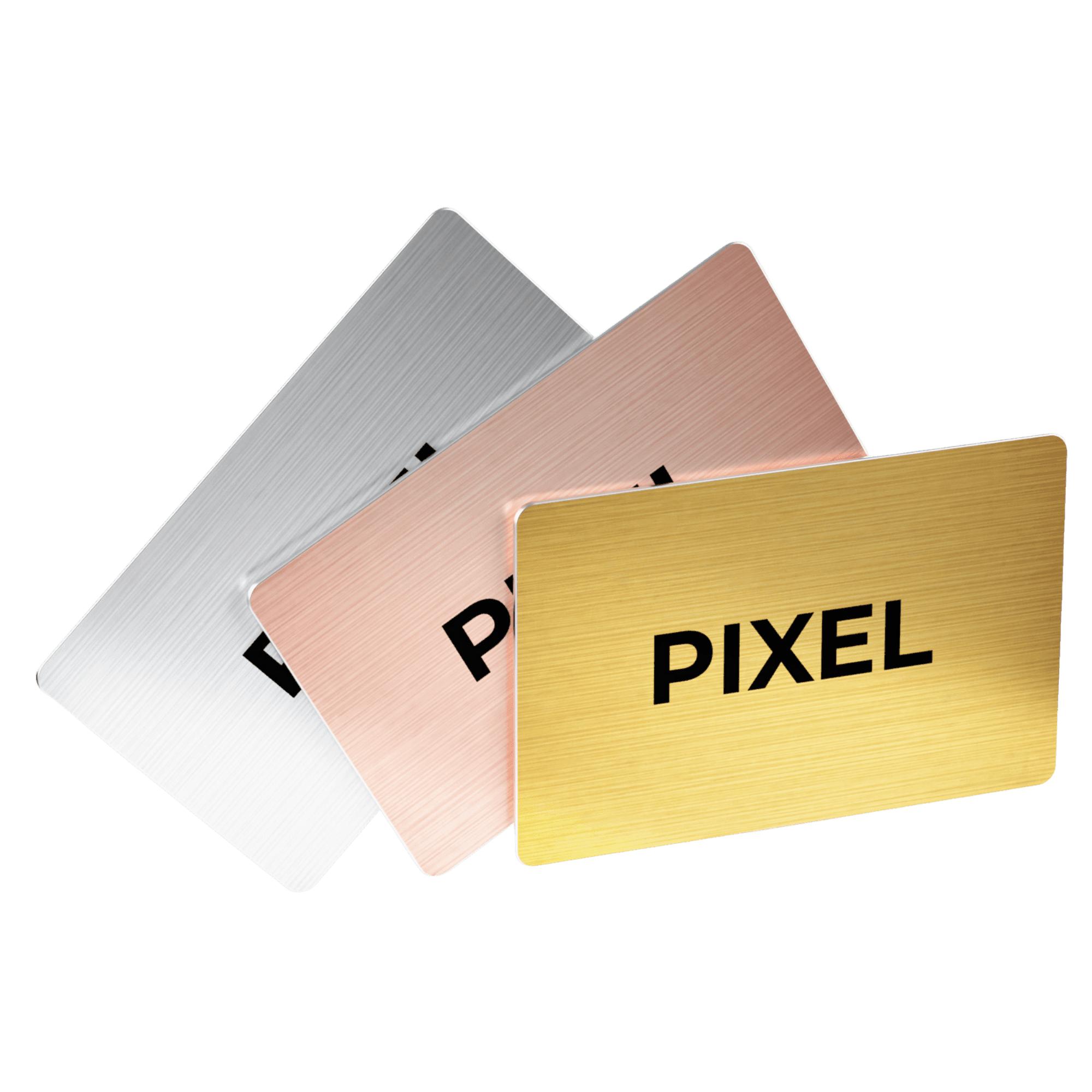
PIXEL cards remove the first step of the WhatsApp routine: getting the right number onto the client’s phone, and getting the client’s details back to your team.
- Instant Save (free, on every card): one tap and the rep’s name, number and email are saved to the client’s iPhone or Android phone. No app on either side.
- PIXEL Connect (for the reps who collect leads): the card opens a Digital Profile in your brand with a two-way exchange, so the client shares their details back. Those leads go to HubSpot, Salesforce or Dynamics 365, and the manager sees views, leads and conversion in one dashboard.
- Details that follow your team: an admin can update any employee’s card from the dashboard, or automatically from your ERP or Microsoft Entra ID, so the number on the card is the current company number.
A PIXEL smart business card costs SAR 125 (Original) or SAR 235 (Metal) per card, as a one-time purchase, and Connect starts at SAR 25 per user for 3 months (pixel-nfc.com, checked 23 November 2026). Only the people who collect leads need Connect; everyone else uses Instant Save. If you’re new to the idea, start with what a smart business card is.
FAQ
Is the WhatsApp Business app free in Saudi Arabia?
Yes. The App Store listing says you can download and use it for free, with a mix of free and paid features. The paid features include Meta Verified.
How many people can use one WhatsApp Business number?
On the free app, one account can be used on five devices in total, or ten with Meta Verified (App Store FAQ). For larger teams, the Business Platform with a shared inbox is the usual route.
Can I use my personal WhatsApp and WhatsApp Business on the same phone?
Yes, as long as each account uses a different phone number (App Store FAQ).
Does WhatsApp charge for replying to clients?
On the free app, no. On the Business Platform, Meta charges per template message, and from 1 October 2026 it also charges for service replies beyond 1,000 per number per month (Meta pricing page).
Can I add new contacts from an event to a WhatsApp broadcast?
Only with their consent. A broadcast is direct marketing, which needs consent under the PDPL (DLA Piper). Reply to people who contact you; ask before you add anyone to a list.
Should every sales rep have their own WhatsApp Business number?
We recommend company-owned numbers. For a small team, one shared number on the app works; for 5+ reps, a Business Platform inbox gives each rep their own conversations under the company number.
How do I connect WhatsApp to my CRM?
Through a Business Platform provider that offers a connector to your CRM, or by logging each lead by hand. Check the options with your CRM vendor and provider.
The verdict
WhatsApp is where Saudi clients answer, so it belongs in your sales process, not on the side of it. Put the team on company numbers, choose the app or the Platform based on team size, use labels that match your CRM stages, log every lead, and ask before you market. Then make the first step easy: the right number on the client’s phone, and the client’s details in your CRM.
Ordering for yourself? Order a PIXEL card →
Equipping a sales team? Get a team quote → or book a demo →. If your team still prints business cards, we can help.
Sources
All checked on 23 November 2026; they may have changed since. Vendor pages are labelled.
- Laiba Qadir, Minute Mirror, “WhatsApp is most-used app in Saudi Arabia, report finds”, 28 August 2026 (summary of the CST “Saudi Internet 2025” report: WhatsApp used by 94.4% of men and 90.4% of women; secondary source, the CST report itself was not read). https://minutemirror.com.pk/whatsapp-is-most-used-app-in-saudi-arabia-report-finds-620330/
- Bridge Middle East, “Saudi Internet Report 2024 — Over 99% Penetration and Growth in AI & Digital Commerce”, 23 May 2025 (CST report: WhatsApp first among top social apps). https://bridgemena.com/news/saudi-internet-report-2024-over-99-penetration-and-growth-in-ai-digital-commerce
- Meta for Developers, “Pricing on the WhatsApp Business Platform” (per-message pricing from 1 July 2025; 24-hour customer service window; changes effective 1 October 2026 incl. 1,000 free service messages per month; free entry point window up to 7 days; Saudi Arabia market and SAR list rates from 1 April 2026). https://developers.facebook.com/documentation/business-messaging/whatsapp/pricing
- WhatsApp Business, “Business app features” (modified 6 October 2026: Business Profile, Greeting, Away Messages, Quick Replies, Labels, Catalog, Broadcast, Meta Verified with up to 10 devices). https://whatsappbusiness.com/products/business-app-features/
- Apple App Store (Saudi Arabia), “WhatsApp Business” by WhatsApp Inc. (free with in-app purchases; FAQ: five devices in total, ten with Meta Verified; business and personal accounts on one phone with two numbers). https://apps.apple.com/sa/app/whatsapp-business/id1386412985
- SleekFlow, “WhatsApp Business multiple users”, last updated 6 November 2026 (vendor; API shared inbox, seats depend on the provider). https://sleekflow.io/blog/whatsapp-business-multiple-users
- DLA Piper, “Data Protection Laws of the World: Saudi Arabia”, last modified 11 February 2026 (consent for direct marketing). https://www.dlapiperdataprotection.com/index.html?c=SA&t=law
- Cultural Atlas, “Saudi Arabian Culture: Business Culture” (2025; working week Sunday to Thursday). https://theculturalatlas.org/saudi-arabian-culture/saudi-arabian-culture-business-culture
- PIXEL, features and shop pages (Instant Save; two-way exchange; Connect leads to HubSpot, Salesforce or Dynamics 365; dashboard; updates from ERP or Microsoft Entra ID; Original SAR 125, Metal SAR 235; Connect from SAR 25 for 3 months). https://www.pixel-nfc.com/en/features
Table of contents
- Why do Saudi sales teams sell on WhatsApp?
- Short answer
- WhatsApp Business app or Business Platform: which does your team need?
- What does WhatsApp cost a sales team in 2026?
- How to set up WhatsApp for a sales team: 7 steps
- 1. Use company-owned numbers
- 2. Complete the business profile
- 3. Set greeting and away messages for the Saudi working week
- 4. Write quick replies in Arabic and English
- 5. Turn labels into your pipeline stages
- 6. Log every lead in the CRM
- 7. Ask for consent before marketing messages
- Who keeps the client chats when a sales rep leaves?
- How do new contacts reach your team’s WhatsApp?
- Where PIXEL fits
- FAQ
- Is the WhatsApp Business app free in Saudi Arabia?
- How many people can use one WhatsApp Business number?
- Can I use my personal WhatsApp and WhatsApp Business on the same phone?
- Does WhatsApp charge for replying to clients?
- Can I add new contacts from an event to a WhatsApp broadcast?
- Should every sales rep have their own WhatsApp Business number?
- How do I connect WhatsApp to my CRM?
- The verdict
- Sources
One Smart Business Card replaces thousands of paper cards.
Better for your wallet, better for the planet.


One-time purchase · Upgrade to PIXEL Connect anytime


